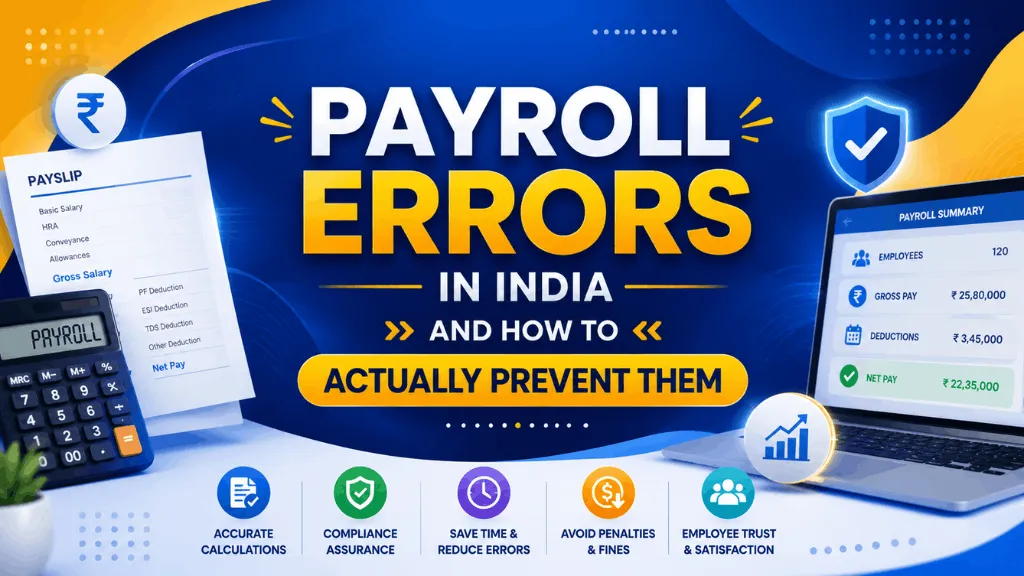
An HR executive at a 90-person logistics company in Pune once described her payroll week as “controlled panic, every single month.” Not because the company was disorganized, but because payroll ran on three spreadsheets that had to agree with each other by the 5th, and they rarely did on the first try. That’s a more common story than most companies like to admit. Payroll errors aren’t usually the result of carelessness, they’re the predictable output of a process with too many manual handoffs.
Here’s what actually goes wrong most often, and what closes the gap.
The Errors That Show Up in Almost Every Payroll Audit
1. PF calculated on the wrong wage base
EPF contributions are 12% each from employee and employer on PF wages, up to a statutory wage ceiling of Rs 15,000 a month for mandatory coverage. The error usually isn’t the 12% rate, companies get that right, it’s which components of salary count as PF wages. Special allowances that are paid uniformly and don’t vary based on performance or attendance are generally treated as part of PF wages under EPFO’s interpretation, and structuring pay to keep large chunks of salary outside that definition has been challenged in court. Getting this wrong either underpays statutory dues or overpays them for years before anyone notices.
2. ESI eligibility missed right at the wage boundary
ESI applies to employees earning up to Rs 21,000 gross a month, at 3.25% employer and 0.75% employee. The mistake shows up when someone gets a mid-year increment that pushes them just over or just under that line, and payroll keeps applying the old eligibility status because nobody flagged the crossover. An employee who should have been out of ESI coverage for four months but still had it deducted has a real grievance, and reversing that after the fact is more work than catching it at the increment stage.
3. Overtime paid at the wrong rate
Under the Factories Act, overtime is twice the ordinary rate, not one and a half times. Companies that inherited an old payroll template sometimes carry the 1.5x convention forward for years without anyone checking it against the actual statute.
4. Pro-rata mistakes for mid-month joiners and leavers
Someone who joins on the 14th or exits on the 20th needs salary, PF, and leave encashment calculated on actual days worked, not a flat monthly figure adjusted by eye. This is a small arithmetic task that becomes a large one when it’s done manually for forty exits and joins in the same month, which is exactly when mistakes cluster.
5. No reconciliation between attendance and payroll before processing
This is the error that causes the other four to compound. If nobody checks that the attendance system’s total days, leave records and overtime hours match what payroll is about to process, small mismatches from earlier in the list get baked into the final number instead of caught before it goes out.
Why the Same Mistakes Keep Recurring
It’s rarely one person’s fault. It’s usually three systems, an attendance register, a leave tracker and a payroll sheet, being reconciled by hand under a fixed monthly deadline. Manual re-entry between systems is where transcription errors live, and a deadline is exactly the condition under which nobody has time to double-check a number that looks roughly right.
A Reconciliation Routine That Actually Catches Errors
Run this before, not after, the payroll cycle locks. Pull final attendance and leave data at least two working days before the pay date, not the same day. Cross-check every employee near the ESI wage boundary separately, since that’s where eligibility status silently goes stale. Spot-check overtime hours for anyone with more than a handful in the cycle, since averages hide the outlier case. And compare this month’s PF and ESI contribution totals against last month’s, a swing with no obvious headcount or salary change behind it is usually a data entry error waiting to be found.
What Actually Changes With Automated Payroll
Automating payroll doesn’t remove the need for judgment calls, someone still has to decide how to classify a new allowance or handle an unusual exit. What it removes is the re-typing step between attendance, leave and the final pay run, which is where most of the errors above actually originate. When PF wage base, ESI eligibility and overtime rate are configured once against the correct statutory rule, they get applied consistently every cycle instead of depending on whoever is running payroll that month remembering the exception.
A Short Checklist Before You Hit Submit
Before finalizing any payroll run: confirm PF wage base configuration hasn’t drifted from what’s actually being paid out as basic and allowances. Check ESI eligibility for anyone near the Rs 21,000 boundary this cycle. Verify overtime is calculating at 2x, not 1.5x. Confirm pro-rata days for joiners and leavers match their actual attendance record. And reconcile total contributions against last month before you process, not after.
Where IntelloHRM Fits
IntelloHRM applies PF wage base rules, ESI eligibility checks and overtime rates as configured settings rather than manual entries each cycle, and pulls attendance data directly into the payroll run instead of requiring a spreadsheet handoff. The goal isn’t a payroll system with more features, it’s one where the five errors above don’t have room to happen in the first place.
See how payroll and attendance connect on IntelloHRM, and if PF specifically is where your process needs the most work, our EPF Scheme 2026 employer checklist walks through the wage base question in more depth.