A hosiery export unit in Ludhiana ran payroll for 140 workers on a spreadsheet until March this year, when a wrong PF deduction on eleven payslips brought a labour inspector to the gate. Fixing it took three weeks and two written apologies to the union. The owner started evaluating payroll software the following month, not because a sales pitch had won him over, but because a mistake had already cost him time he wasn’t getting back.
That’s usually how the search for the best payroll software in India starts. Nobody wakes up wanting to compare vendors. Something breaks first, a wrong deduction, a delayed salary run, an auditor’s question nobody in the office could answer, and then the checklist begins.
What the best payroll software in India actually needs to do for your business
Every listicle ranks the same ten platforms. Almost none of them ask what you’re actually running payroll for. A 40-person IT team in Pune with everyone on the same pay structure has different problems than a construction contractor in Nagpur juggling 300 daily-wage workers across four sites, or a Ludhiana textile exporter with piece-rate workers, seasonal overtime, and a compliance history the last inspector remembers by name. “Best” for one of these is not best for the other two.
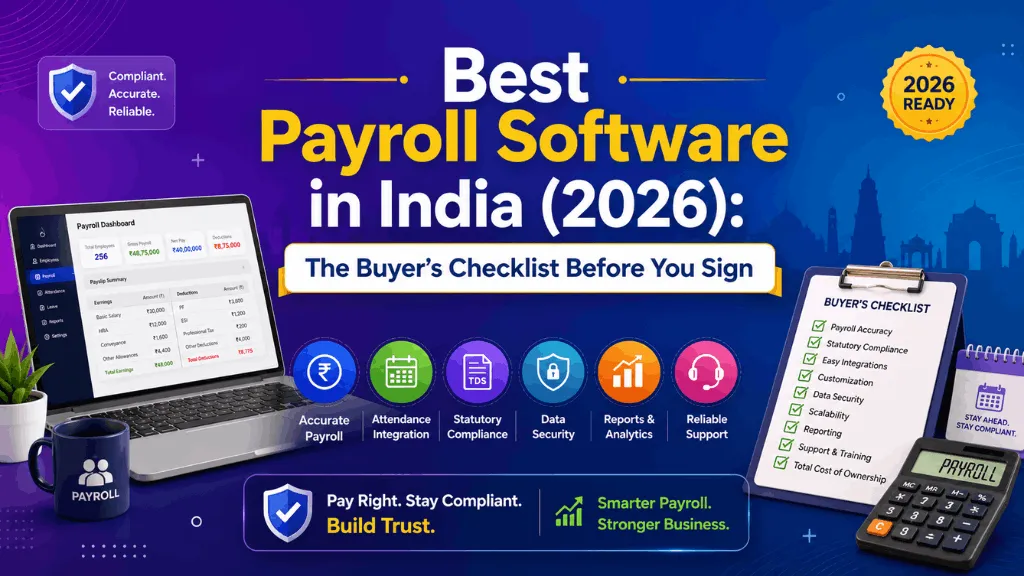
So instead of another ranked list, here’s what’s actually worth checking before you sign a contract, based on where Indian payroll software tends to quietly fail.
1. Statutory coverage that keeps pace with notifications
PF, ESI, professional tax, TDS, gratuity and statutory bonus aren’t optional modules, they’re the reason you bought the software. The real question is how fast a vendor updates when a slab or form changes. Ask for their update history, not their feature list. A platform that pushed a compliance update within days of the last labour code clarification tells you more than a demo ever will.
2. Multi-state handling, not single-state assumptions
Professional tax alone varies by state, and so do Shops and Establishments Act rules and minimum wage notifications. A tool built around one state’s rules and patched later for others will show cracks the moment you open a second branch in Gurugram or Coimbatore. If you already operate in more than one state, or plan to within the year, test this specifically during your trial. Don’t take a sales rep’s word for it.
3. How it treats contract and daily-wage workers
A lot of payroll software is designed around salaried, monthly-paid staff and treats everyone else as an edge case. If your workforce includes contract labour, daily-wage factory hands, or field staff paid by output, check how the system handles variable pay cycles, partial months, and CLRA-linked documentation. This is where manufacturing and construction buyers get burned most often, because it’s the one thing demos rarely show.
4. Integration with attendance, not a bolt-on
Payroll run quality is only as good as the attendance data feeding it. If attendance and payroll live in separate systems that sync overnight or, worse, get reconciled by hand at month-end, errors creep in through the gap. Most recurring payroll errors we’ve seen trace back to exactly this handoff, not to the payroll calculation itself.
5. What happens when something goes wrong
Every vendor is responsive during the sales cycle. Ask instead what support looks like in month four, when a payroll run has already gone out with an error and you have three hours to fix it before the bank file is due. Get this in writing: response time commitments, whether support understands Indian statutory context or reads from a generic script, and whether you get a named point of contact or a ticket queue.
6. Where the real cost hides
Per-employee pricing looks simple until you add implementation fees, a charge per statutory form generated, or a jump in tier the moment you cross 50 or 100 employees. Ask for the total cost at your current headcount and at 1.5x that headcount, in writing, before you sign anything.
7. Data ownership and exit terms
This one gets skipped in almost every evaluation. If you leave in two years, can you export full payroll history, in a usable format, without a support ticket and a wait? Read the exit clause before you read the pricing page.
A quick myth worth retiring
The most common mistake in these evaluations isn’t picking the wrong vendor, it’s assuming payroll software is interchangeable once it “does PF and ESI.” Two platforms can both check that box and still differ enormously in how they handle a multi-state rollout, a factory floor with 200 contract workers, or a founder who wants to run payroll from a phone between site visits. The checklist above is really one question asked seven different ways: will this hold up under your specific mess, not a demo account’s clean data.
Where IntelloHRM fits
We built IntelloHRM out of Ludhiana, working with exactly the kind of employers this article describes: multi-state teams, factory and field staff on mixed pay structures, and HR teams who don’t have a compliance department to lean on. Attendance and payroll sit on the same platform by design, statutory modules cover PF, ESI, professional tax, TDS, gratuity and statutory bonus, and support comes from people who’ve actually processed an Indian payroll run under a deadline. It isn’t the only platform capable of that. It’s worth putting on your shortlist alongside whoever else you’re evaluating, and testing against this exact checklist.
If you’re starting that evaluation now, see how IntelloHRM handles payroll and compliance together before you sign anything.