Ask any HR manager who has field staff, sales reps, or technicians on the road, and they’ll tell you the same thing: the biometric machine at the office is basically useless for half the team. It works beautifully for the people who sit at a desk from 9 to 6. It does nothing for the sales executive meeting a client in Noida, the service engineer fixing a machine in an industrial park outside Pune, or the site supervisor who’s at a different construction project every week. That gap is exactly why so many Indian companies end up searching for a mobile attendance app once their workforce stops being deskbound.
The irony is that most of them already own an HRMS. They just never set up the mobile side of it properly, or they bought a standalone app years ago that nobody connected to payroll. So attendance for field employees still gets reconciled from WhatsApp messages, phone calls to the manager, or a self-reported Excel sheet that everyone quietly inflates by fifteen minutes.
Why a Fixed Device Stops Working the Moment People Leave the Building
Biometric and card-swipe attendance were built for one assumption: that people arrive at a known location to start their day. The moment that assumption breaks — multiple sites, client visits, work-from-anywhere sales roles — the whole system needs a different backbone. You can’t bolt a thumb scanner onto every client’s reception desk. What you actually need is something that travels with the employee, which in practice means their phone.
That’s the whole premise of a mobile attendance app: check-in and check-out happen from wherever the person actually is, with the location and time captured automatically instead of typed in afterwards. Done well, it removes the back-and-forth entirely. Done badly, it becomes one more app people complain about and quietly stop using.
What a Mobile Attendance App Actually Needs to Get Right
A few things separate the apps HR teams keep using from the ones that get abandoned within a month.
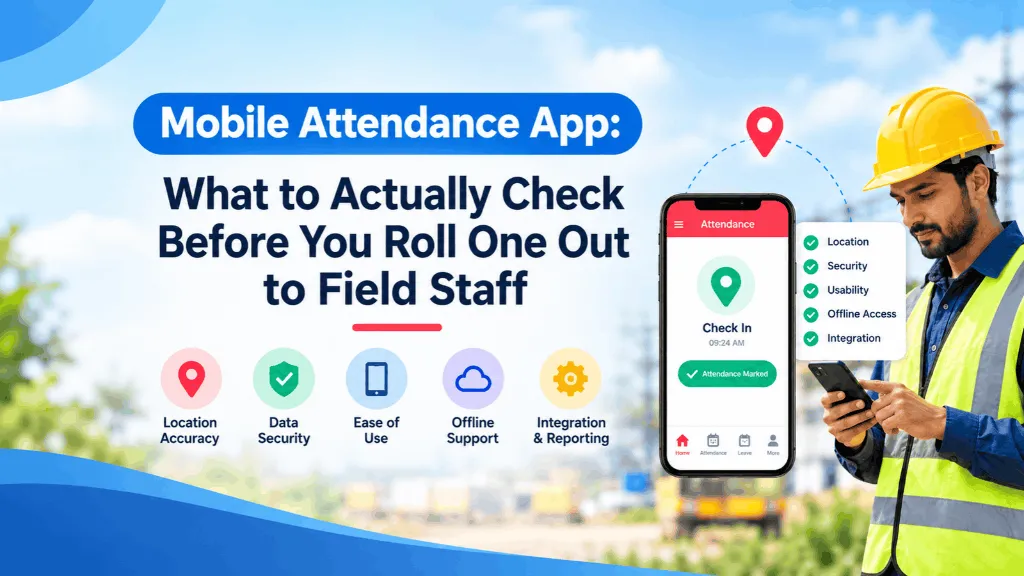
Location that’s accurate without being punishing. GPS-based geofencing should confirm someone punched in from the right client site or project location, but if the radius is set too tight, you’ll get legitimate employees flagged as “outside zone” every single day because GPS on a phone drifts by 20–50 metres indoors or near tall buildings. The better tools let you set a sensible radius per site and flag exceptions for a manager to review, rather than silently rejecting the punch.
A way to stop buddy punching. Once attendance isn’t tied to a physical device at a fixed location, you lose the natural check that stopped one person from marking in for another. A selfie captured at punch-in, matched loosely against a reference photo, closes that gap without needing full biometric hardware in the field.
Offline support. Field staff in tier-2 towns, basements, or remote plant locations frequently have patchy connectivity. An app that only works with a live internet connection will quietly lose punches, and the employee will be the one blamed for it. Punches should queue locally and sync the moment signal returns.
Genuine cross-platform support. This sounds obvious, but it trips up more companies than you’d expect. Sales and field teams in India are rarely a single-OS fleet — you’ll have company-issued Android devices alongside personal iPhones, especially among senior staff. If you’re evaluating an attendance app for iPhone and Android, actually test both versions before rolling it out, not just the Android build. We’ve seen companies discover six months in that the iOS app hadn’t been updated in a year and location accuracy on it was noticeably worse than Android.
Manager visibility that doesn’t require fifteen filters. A manager with twelve field reps shouldn’t have to export a spreadsheet to find out who hasn’t checked in by 11 am. A simple live view — who’s checked in, where, and who’s overdue — matters more than most feature lists let on.
The Part Everyone Forgets: It Needs to Talk to Payroll and Leave
This is where a lot of mobile attendance rollouts quietly fail. The app itself works fine — people are punching in, the data looks clean — but it sits in its own silo, disconnected from the payroll cycle and the leave ledger. Someone in HR or finance still has to manually pull attendance data every month and reconcile it against leave applications and overtime claims. That’s not really a mobile attendance app at that point; it’s a location logger with extra steps.
If your HRMS already handles payroll, leave, and shift management, the mobile check-in should feed straight into that same attendance record — the one used for salary runs, overtime calculation, and leave balances — rather than existing as a separate dataset you have to merge by hand every pay cycle.
A Word on Consent and Location Data
Tracking an employee’s location, even just at punch-in and punch-out, falls under personal data the DPDP Act cares about. Employees should know, in writing, what’s being captured (a point-in-time location at check-in, not continuous tracking through the day, unless you’ve explicitly built and disclosed that) and why. Most pushback we’ve seen from field teams isn’t really about the technology — it’s about not being told clearly what the app does and doesn’t track. A short, plain-language notice at rollout solves most of that friction before it starts.
Where This Actually Pays Off
Companies that get this right aren’t chasing a cooler app — they’re closing a specific gap: field and multi-location staff whose hours were previously based on trust and memory now have a record that’s as reliable as the biometric machine back at head office. Payroll disputes over “I was there, nobody marked me present” drop sharply. Overtime claims from field staff stop being a monthly argument. And HR stops being the department that has to play detective every time someone’s attendance doesn’t add up.
If you’re currently running attendance for your office staff on one system and your field staff on phone calls and goodwill, that’s usually the sign it’s time to look at this properly — not as a bolt-on app, but as the mobile front end of the same HRMS that already runs your payroll.