A financial services company in Pune had a rule most HR teams would recognise: if you forgot to punch out, you emailed your manager and HR before the 25th, and someone manually fixed it in the attendance sheet. It worked fine when the company had 40 people. At 220 people, HR was fielding upward of 60 regularization emails a month, half of them arriving the day before payroll locked, and nobody had a clean record of who approved what or why.
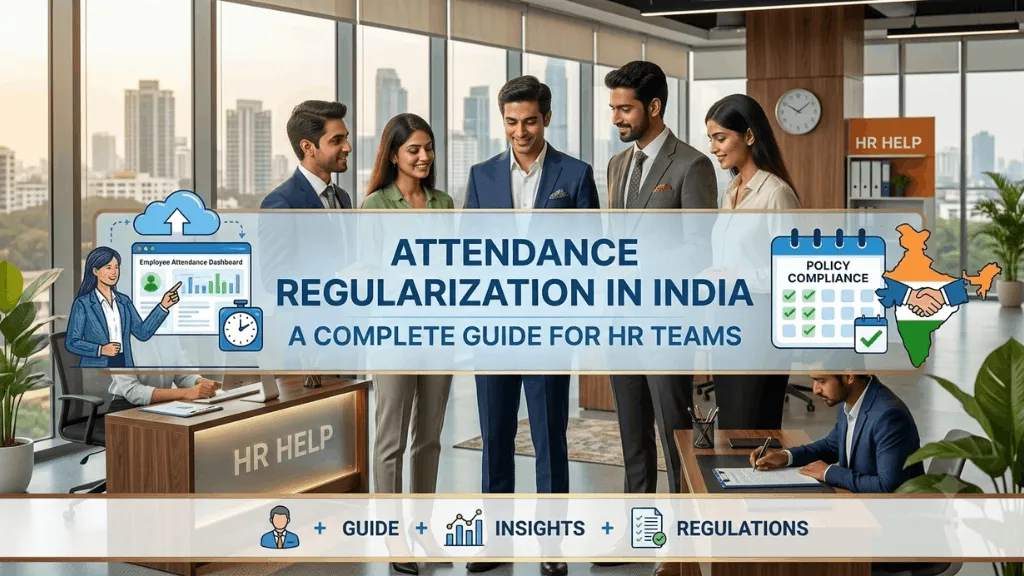
Attendance regularization sounds like a small administrative task until you’re the one running it at scale. Get it wrong and it shows up two ways: employees whose salary doesn’t match the days they actually worked, and a business with no defensible record if a labour inspector or an employee ever asks how an attendance dispute was resolved.
What Attendance Regularization Actually Means
Regularization is the formal process of correcting an attendance record after the fact, a missed punch, a wrong shift tagged, a field visit that never got geo-logged. It is not the same as leave, and treating it like an informal leave request is where most of the trouble starts. A regularized day is still a working day; the employee showed up and did the work, the system just failed to capture it correctly. Leave is the opposite: the employee didn’t work and everyone agrees on that. Mixing the two in one approval queue is how companies end up with leave balances that don’t reconcile and payroll runs that pay people for days they didn’t actually work.
Why Regularization Requests Pile Up
A handful of causes account for most of it. Biometric devices fail more often than vendors admit, especially in units running two shifts where dust, humidity or a fingerprint that’s changed slightly after a hand injury throws off recognition. Field staff, sales executives, service technicians, site engineers, rarely have a fixed location to check in from, so a rigid geofence radius rejects a legitimate visit at the edge of a large industrial estate or client campus. Power cuts in smaller towns still take down biometric terminals mid-shift in a way city offices rarely experience. And hybrid employees working from home on a day their laptop VPN doesn’t register a check-in have no obvious way to prove they worked at all, beyond asking their manager to vouch for them after the fact.
None of these are edge cases. In a 300-person company running two shifts and a field sales team, this is a predictable weekly volume, not an exception queue.
The Manual Regularization Mess
Most companies handle this over email or, increasingly, WhatsApp, because it’s fast and managers are used to it. The problem shows up a month later. There’s no single place to see who requested what, who approved it, or on what evidence. When payroll processes and an employee’s salary looks short, HR has to reconstruct the approval trail from a scrolling chat thread, and that reconstruction takes real time during exactly the week payroll can least afford it. Worse, if a labour inspection asks for attendance records for a specific worker over a specific month, a WhatsApp thread isn’t a record anyone wants to hand over.
What a Regularization Policy Should Actually Define
A policy that works on paper but not in practice usually just says “regularization requires manager approval” and stops there. A policy that holds up defines a request window, most companies use three to five working days from the date in question, past which a request needs HR sign-off rather than just a manager’s approval. It defines what counts as evidence: a client visit note, a screenshot of a field app location, a colleague’s confirmation, rather than leaving that judgment call to whoever’s approving that day. It sets a monthly cap on regularizations per employee, not to be punitive, but because a pattern of eight regularizations a month from one person is a signal worth a conversation, not a rubber stamp. And it names who approves what: a manager can typically clear a single missed punch, but a pattern or a request tied to a disputed overtime claim should route to HR.
Where the Handoff to Payroll Breaks
The single biggest failure point isn’t the approval itself, it’s what happens after. If a regularization gets approved in an email thread on the 24th but attendance data was already exported to a spreadsheet for payroll processing on the 20th, someone has to remember to go back and manually update that spreadsheet. Miss that step and the employee gets paid for a day the system still shows as absent, and it takes a payslip query to catch it, by which point trust in the process has already taken a hit.
The fix isn’t a stricter deadline. It’s making sure an approved regularization updates the attendance record that payroll actually reads from, so there’s no separate spreadsheet step for someone to forget.
A Regularization Checklist Worth Running Before Payroll Locks
Before finalizing attendance for the cycle, it’s worth checking a few things directly rather than assuming the queue is clear: confirm every pending regularization request has either been approved or explicitly rejected, not left sitting; check that approved requests have actually updated the master attendance record and not just the request log; look for employees with an unusually high regularization count that month and ask why before payroll runs, not after someone flags a shortfall; and keep the approval evidence attached to the record itself rather than in a separate email you’ll have to search for later if it’s ever questioned.
How This Works in IntelloHRM
IntelloHRM routes regularization requests through a defined approval chain with the evidence and timestamp attached to the record, and once approved, the correction flows into the same attendance data payroll processes from, not a parallel spreadsheet someone has to reconcile by hand. For a company fielding dozens of these requests every cycle, that mostly means one less place for a Friday-afternoon payroll error to hide.
You can see how attendance and payroll data connect on the IntelloHRM platform, and if shift-based overtime is where your attendance process needs the most work, our guide on managing shift attendance without losing track of overtime covers that in more depth.