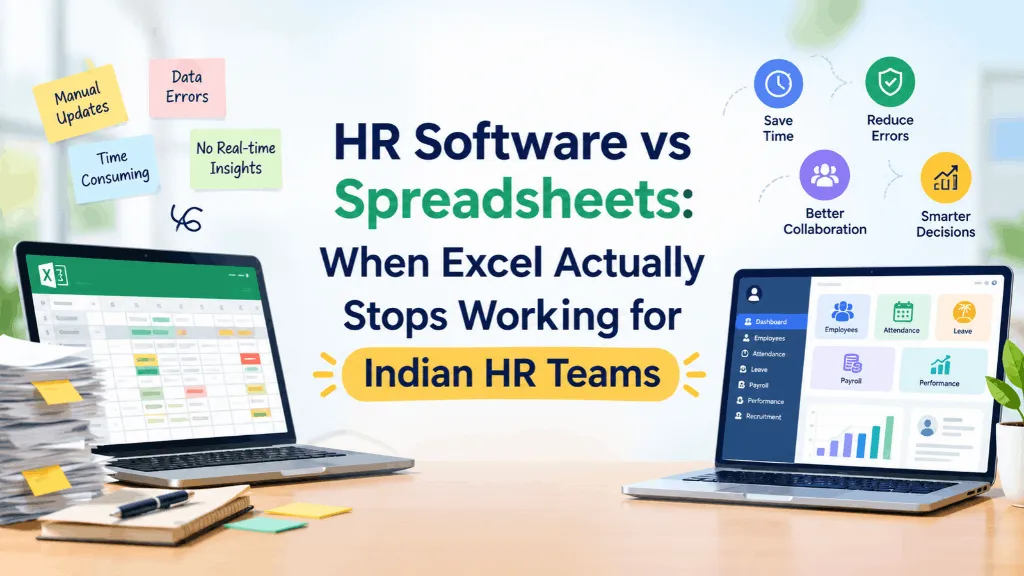
Every HR software company, including ours, likes to open with a jab at Excel. It makes for an easy villain. But if you’re the one actually running HR for a 35-person company off three tabs and a VLOOKUP that someone else set up before you joined, “spreadsheets are bad” isn’t a useful answer. The real question is narrower and more honest: at what point does a spreadsheet stop being a reasonable tool and start being the thing quietly costing you money and sleep?
That’s the question worth sitting with before comparing HR software vs spreadsheets in the abstract, because the honest answer is: for a while, Excel is genuinely fine. The mistake most comparison articles make is pretending otherwise.
Why spreadsheets work, right up until they don’t
A spreadsheet is free, flexible, and nobody needs training to open it. For a ten-person team where the founder still approves leave over WhatsApp and payroll is one person’s salary structure plus a calculator, Excel isn’t a compromise — it’s the correct tool. It does exactly what’s needed, with zero setup cost and zero learning curve. If your HR process today is “I know where the file is and I know who to ask,” you don’t have a broken system. You have a small company.
The trouble starts when the company grows but the file doesn’t change shape. The sheet that tracked twelve employees’ leave balances in one tab keeps getting new rows added to it at employee forty, at employee eighty, at employee one-fifty — with the same structure, the same manual upkeep, and now five times the chances for someone to get it wrong.
Where Excel actually falls over
It’s rarely one dramatic failure. It’s a string of small ones that HR teams learn to live with until the pattern becomes impossible to ignore.
A formula that worked fine for eighteen months breaks silently when someone inserts a row above it, and nobody notices until a salary comes out wrong. Two people have the leave tracker open at the same time — one on the Mumbai office laptop, one working from home — and whoever saves last wins, with no warning that the other person’s edits just vanished. A new HR hire inherits “final_v4_USE_THIS_ONE.xlsx” from someone who left four months ago and has no way to know if it’s actually current. An auditor asks when a PF nomination form was last updated, and the honest answer is a shrug, because Excel doesn’t keep a change history unless someone remembered to save dated copies, which nobody ever does for long.
None of these are hypothetical. They’re the specific, recurring ways a spreadsheet-based HR process breaks down once a company crosses roughly thirty to fifty employees — not because Excel got worse, but because the volume of edits, the number of people touching the file, and the cost of a single mistake all went up together.
The “we’re too small for HR software” line has an expiry date
Founders resist buying HR software for a reasonable reason: it feels like overhead for a problem they don’t have yet. And at twenty people, they’re often right. But the threshold isn’t really about headcount — it’s about whether HR has started doing reconciliation work instead of HR work. The moment someone on your team spends part of every week cross-checking the leave sheet against the attendance export against the payroll file to make sure all three agree, you’ve already paid the cost of not having a system. You’re just paying it in hours instead of a subscription invoice.
That’s the real comparison to make — not “Excel is free, software costs money,” but “what does an hour of HR’s time cost, multiplied by how many hours a month go into manually keeping three files in sync.” For most companies between forty and a few hundred employees, that number is bigger than they expect, and it’s the actual reason teams end up evaluating platforms like GreytHR, Keka, Zoho People, or IntelloHRM — not because a vendor convinced them Excel is embarrassing, but because the reconciliation work became a real, measurable drag on the HR function.
What should move off spreadsheets first
Not everything needs to migrate on day one. If you’re weighing this for your own team, the order usually matters more than people assume. Payroll and statutory compliance (PF, ESI, professional tax) should be first in line, because errors there are expensive and hard to reverse — a wrong bank transfer or a missed filing has real consequences, not just an awkward email. Leave and attendance come next, since they touch every employee every month and are where double-entry and sync errors show up fastest. Performance reviews, document storage, and org charts can usually stay manual a little longer without real damage, which is worth knowing if budget or buy-in is limited and you need to make the case for doing this in stages rather than all at once.
What a spreadsheet genuinely can’t do, no matter how well you build it
Two things don’t improve no matter how carefully someone maintains the file. The first is real-time accuracy for more than a handful of concurrent editors — Google Sheets helps with this more than Excel does, but neither was built to be a system of record that payroll, attendance, and self-service all read from at once without someone’s manual intervention. The second is access control. A well-run HR spreadsheet still tends to drift toward “half the company can technically open this link,” because restricting a spreadsheet properly, cell by cell, by role, is a constant maintenance job that nobody keeps up with for long. Software built for this treats permissions as a setting you configure once, not a thing you have to remember to re-check every quarter.
So when is it actually time to switch
A reasonable gut check: if your HR team can no longer tell you, without checking three files, how many people are currently on probation, what the company’s average leave balance looks like heading into the festive season, or whether a particular employee’s documents are complete — that’s not a spreadsheet problem you can fix with a better template. It’s a sign the underlying system has outgrown the tool running it.
That doesn’t mean every company needs a full HRMS tomorrow. It means it’s worth being honest about where the actual pain is — payroll errors, leave disputes, an audit that took four people two days instead of twenty minutes — and deciding from there, rather than from either “Excel is fine forever” or “you need enterprise software on day one.” Both of those are marketing lines. The actual answer is usually somewhere in the messy middle, and it’s different for every company, which is exactly why it’s worth figuring out for yours rather than borrowing someone else’s answer.