A friend who runs HR for a 140-person auto components company in Pune told me something last month that stuck with me. Her payroll server sits in a cabin behind the accounts department, and when the AC in that room broke down during a heatwave in May, nobody could process salaries for two days because the machine kept overheating and shutting itself off. She’d been meaning to move to HRMS on cloud for over a year. That AC failure is what finally pushed her to actually do it.
Most conversations about cloud-based HRMS get stuck at the buzzword level — “cloud” gets thrown around the way “digital transformation” did a few years ago, without anyone explaining what it actually changes day to day for an HR team in Ludhiana or Coimbatore that just wants payroll to run on time. So let’s skip the marketing language and talk about what genuinely shifts when HR software moves off a server sitting in your office and onto the cloud.
What “cloud HR software” actually means in practice
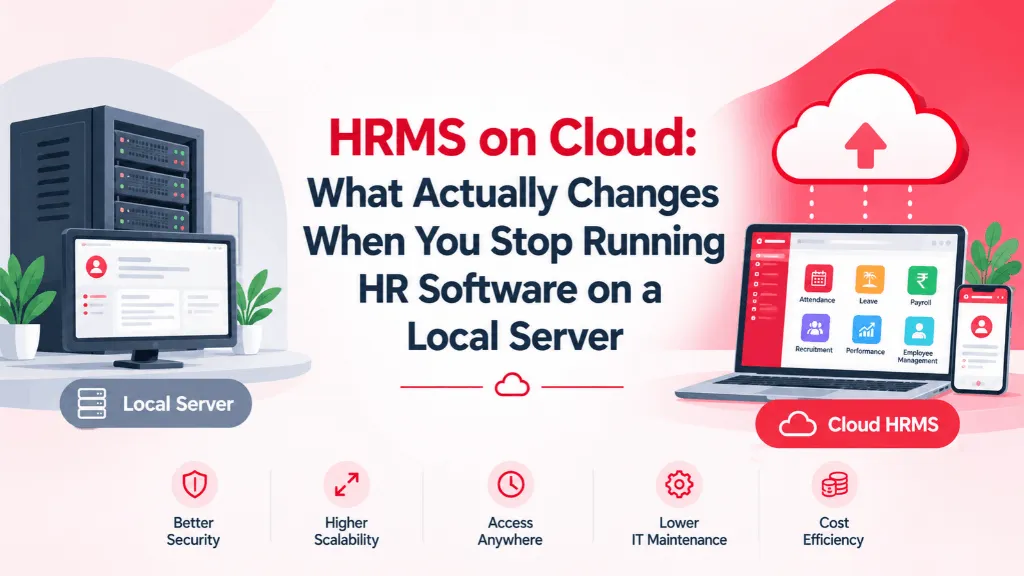
When people say cloud HRMS, they mean the software and your company’s data live on servers managed by the vendor (often in a data centre, sometimes across multiple data centres for redundancy), and your team accesses everything through a browser or an app — no installation, no local server, no IT person needed to restart a machine when it hangs. You log in from a laptop in the Mumbai office, your regional HR manager logs in from a cybercafe in a Tier-3 town during a site visit, and you’re both looking at the same, current data. Compare that to an on-premise setup, where the software physically lives on a machine in your office, someone in IT is responsible for backups and updates, and if that machine or its internet line goes down, so does your HR function.
The practical difference shows up first in who’s responsible for what. With an on-premise system, if the software has a bug, if a server needs more RAM, if a security patch is overdue — that’s your problem, usually solved by whichever vendor sold you the license three years ago and hasn’t returned your calls since. With a properly run HRMS on cloud, the vendor pushes updates, patches vulnerabilities, and scales server capacity without you lifting a finger or scheduling a maintenance window.
Why more Indian SMBs are making the switch now
Three things are pushing this shift, and none of them are really about “the cloud” as a concept — they’re about specific pain points that on-premise systems create.
The first is multi-location reality. A manufacturing company with a plant in Baddi and a corporate office in Gurgaon can’t sensibly run HR off one server sitting in one of those two locations. Someone always ends up working off a stale export or a VPN connection that drops during a compliance filing deadline. Cloud HR software sidesteps this because there’s no single physical machine anyone depends on.
The second is the DPDP Act. Data localisation and consent requirements are pushing companies to think seriously about where employee data — PAN numbers, bank details, medical information tied to insurance claims — actually sits, who can access it, and how access is logged. A cloud HRMS built with India-hosted data centres and proper access controls handles this by design; retrofitting that onto a ten-year-old on-premise install is a genuinely painful project, not a weekend fix.
The third is simpler: cost shape. On-premise HR software usually means a large upfront license fee plus ongoing server and IT maintenance costs, whether or not you’re using the system fully. Cloud HRMS is typically priced per employee per month, which means the cost scales with your headcount rather than sitting there as a fixed overhead — useful for a company that’s hiring 15 people this quarter and has no idea if it’ll be 25 or 10 by next year.
The concerns that are worth taking seriously
None of this means cloud is automatically right for every company, and the concerns HR leaders raise are usually legitimate rather than just resistance to change.
Internet dependency is real — if your office WiFi is unreliable and there’s no backup connection, a browser-based system genuinely does become harder to use during outages, though this is arguably less of an issue now than five years ago given how widespread 4G/5G backup has become. Security is the other fair question, and it deserves a direct answer rather than a reassurance: ask any cloud HRMS vendor specifically where their servers are located, whether they’re ISO 27001 certified, what their data breach notification process looks like, and who owns the data if you decide to switch vendors later. A vendor that can’t answer those four questions clearly is a bigger risk than the cloud model itself.
There’s also a smaller, less discussed friction point: some heavily regulated environments — certain defense-adjacent manufacturing units, for instance, or organisations with contractual data-residency clauses tied to a specific client — still have policies that require on-premise or private-cloud deployment specifically. If that’s your situation, it’s worth checking with your compliance team before assuming cloud is the default answer, because in these specific cases it genuinely isn’t.
What to actually check before you move
If you’re evaluating a move to cloud-based HRMS, the useful due diligence isn’t “is it cloud” — every vendor will say yes — it’s asking to see the uptime history for the last twelve months, asking what happens to your data if you stop paying (can you export everything, in what format, within what timeframe), and asking a current customer of similar size how support actually responds when something breaks at 6 PM on a Friday before a payroll run.
My friend in Pune ended up moving her company’s payroll and attendance to a cloud HRMS over a weekend, migrating three years of leave and attendance history along with it. The AC in that server room still isn’t fixed, as far as I know. It just doesn’t matter anymore, because nothing in that room is running her HR function now. That’s really what HRMS on cloud buys you — not a magic word on a sales deck, but one less single point of failure standing between your team and a payroll cycle that runs on time.
IntelloHRM is built cloud-first, with data hosted in India and designed around the compliance realities Indian HR teams actually deal with — if you’re weighing a move off a local server, it’s worth a conversation before you commit to any vendor.