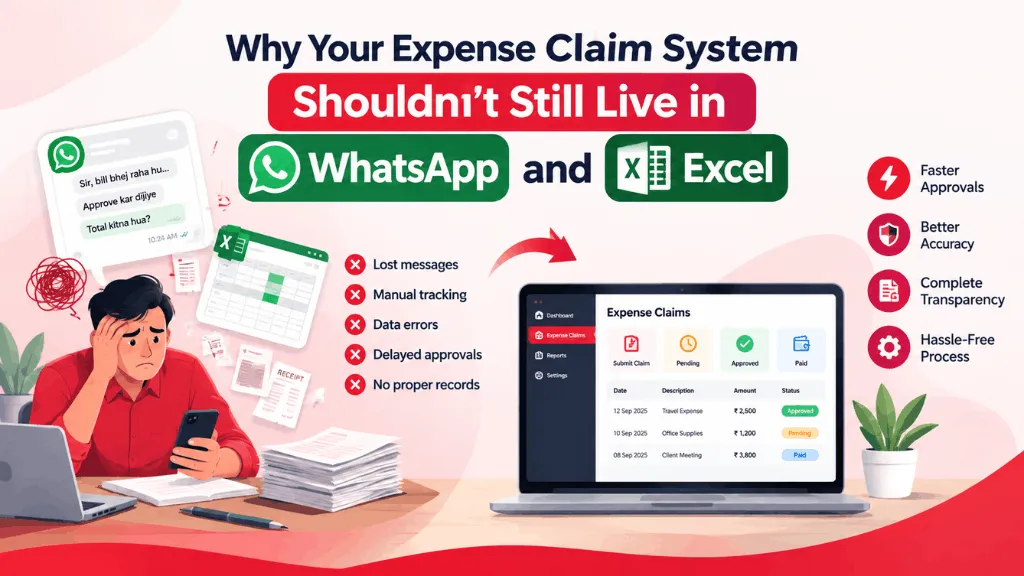
Every HR manager we talk to has some version of the same story. A field sales rep submits a fuel bill three weeks after the trip. A finance intern is manually re-typing hotel invoices into a spreadsheet at 9 pm on the last day of the month. Someone’s reimbursement got approved twice because it was forwarded on WhatsApp and then also emailed as a PDF. None of this is anyone’s fault, exactly — it’s just what happens when a company grows past the point where expense claims can live in a shared Excel sheet and a group chat.
If you’ve searched for an expense claim system recently, you’ve probably noticed most of the results are either bloated enterprise suites built for finance teams with dedicated controllers, or bare-bones apps that only handle the claim and leave reimbursement, approval history and payroll sitting in three different places. For a 30 to 300-person Indian company, neither is quite right.
What actually breaks first
It’s rarely the claim submission itself that causes pain — most people can photograph a receipt and send it somewhere. What breaks is everything downstream of that: figuring out who’s supposed to approve a ₹40,000 travel claim versus a ₹500 local conveyance claim, chasing down a manager who’s traveling and hasn’t opened their email in four days, and then manually cross-checking at month-end whether a reimbursement was already paid out or is still pending. We’ve seen finance teams keep a second, informal spreadsheet just to track “claims that are stuck somewhere,” which tells you the actual system in place isn’t really a system.
An online expense claim system earns its keep by removing exactly that ambiguity. Every claim has one status, one owner at any given time, and a visible trail of who approved what and when — which matters a lot more during a tax audit or a founder’s random spot-check than most people expect until they need it.
What good employee expense reimbursement software should actually do
Strip away the marketing language and there are really only a handful of things worth checking for:
Policy limits that are enforced automatically rather than trusted to memory — so a claim above the per-category limit gets flagged before it reaches an approver, not after finance has already processed it. Routing that follows your actual org chart, including what happens when the direct manager is on leave, because approval chains that silently stall are worse than no approval chain at all. Receipt capture from a phone camera with basic OCR, so someone isn’t retyping GST numbers and amounts from a crumpled taxi receipt. And, critically, a direct link into payroll, so an approved reimbursement actually lands in the next payout cycle instead of becoming a separate bank transfer someone has to remember to make.
That last point is where a lot of standalone employee expense reimbursement software falls short. It’ll handle the claim and the approval beautifully, and then reimbursement still happens as a manual off-cycle payment because the expense tool and the payroll system have never spoken to each other. For a company running 50 or 100 reimbursements a month, that gap is where errors, duplicate payments and “did we already pay this?” conversations come from.
A realistic scenario
Take a manufacturing company with a field service team of twelve engineers who travel to client sites across two states. Each engineer racks up fuel, toll, and occasionally lodging expenses. Under a spreadsheet-and-email process, the HR team we spoke with was spending roughly two full days every month just reconciling these claims — matching receipts to bank transfers, following up on missing bills, and manually updating a master tracker. After moving expense claims into their HRMS, that reconciliation dropped to a few hours, mostly because claims arrived already tagged to the right cost center and approval status, rather than as a folder of forwarded emails.
That’s a fairly ordinary outcome, and it’s worth being honest about: an expense claim system doesn’t eliminate the need for someone to review claims or catch genuinely fraudulent ones. What it removes is the administrative overhead around claims that are perfectly legitimate but still take twenty minutes each to process by hand.
Built-in versus a separate reimbursement tool
There’s a real decision here, and it’s not always obvious which way to go. A dedicated reimbursement software product can be genuinely good at the expense-specific workflow — multi-currency claims, mileage tracking, per-diem rules for travel-heavy roles. If your company runs a large, complex travel program, that depth might matter more than convenience.
But for most Indian SMBs and startups, the expense claim is one part of a bigger employee lifecycle that already lives in an HRMS — attendance, leave, payroll, exit. Keeping expense claims inside that same system means an employee doesn’t need a fourth login, HR doesn’t need to reconcile data between two tools every payroll cycle, and an auditor asking for a claim history doesn’t require exporting data from two different vendors and hoping the numbers match. In IntelloHRM, expense claims sit next to payroll and attendance for exactly this reason — a claim that’s approved on a Tuesday can be picked up in that month’s payroll run without anyone manually re-entering it.
What to check before you switch
If you’re evaluating a change, a few questions tend to separate a system that will actually get adopted from one that quietly gets abandoned after two months. Can employees submit a claim from a phone in under a minute, including the photo? Does an approver get a notification they’ll actually see, rather than an email buried in an inbox? Can finance export a clean, GST-compliant claim report without manual formatting? And does the reimbursement actually flow into payroll, or does someone still need to initiate a separate transfer?
None of these are exotic requirements. But they’re also the details that get skipped in a quick demo and only show up as friction once fifty employees are using the system every month. If your current process still runs through WhatsApp forwards and a shared spreadsheet, the honest test isn’t whether a new tool has more features — it’s whether it removes a step your team is doing manually today.