By 10 AM, most HR teams at Indian SMBs have already touched five different tools: a WhatsApp group for leave requests, an Excel sheet for the attendance register, a biometric app nobody quite trusts, a Tally export for salary, and a Google Form somebody built two years ago for onboarding. Ask them what HRMS software would replace, and the honest answer is: all of it, eventually, but not on day one.
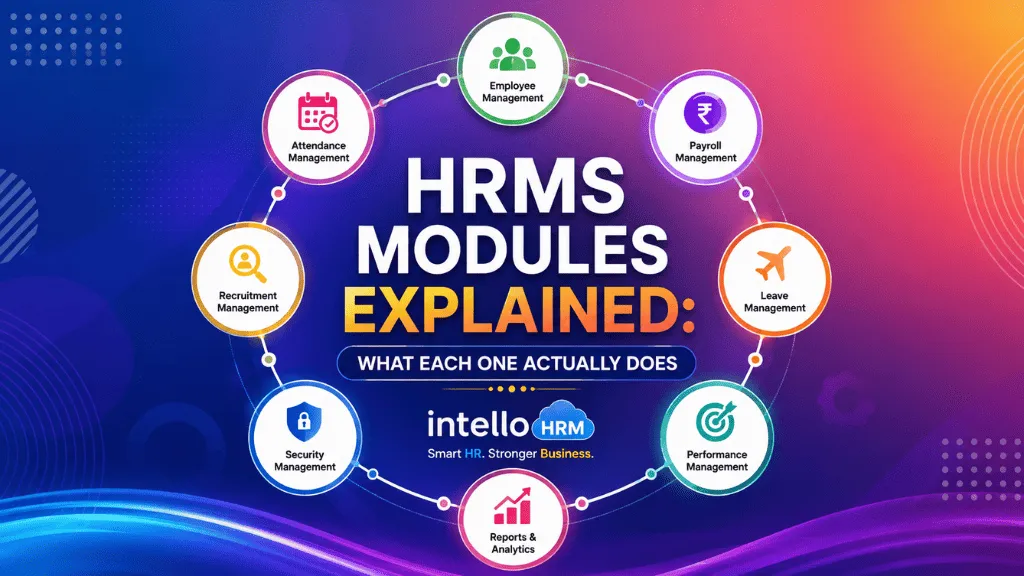
That’s the part vendors gloss over. “HRMS” gets sold as one product, but underneath it’s a set of HRMS modules stitched together, and most companies genuinely don’t need every module the day they sign up. Knowing what each module actually does — not the marketing description, the actual function — makes it much easier to buy the right thing the first time instead of paying for six modules and using two.
Employee Management: the record everything else points back to
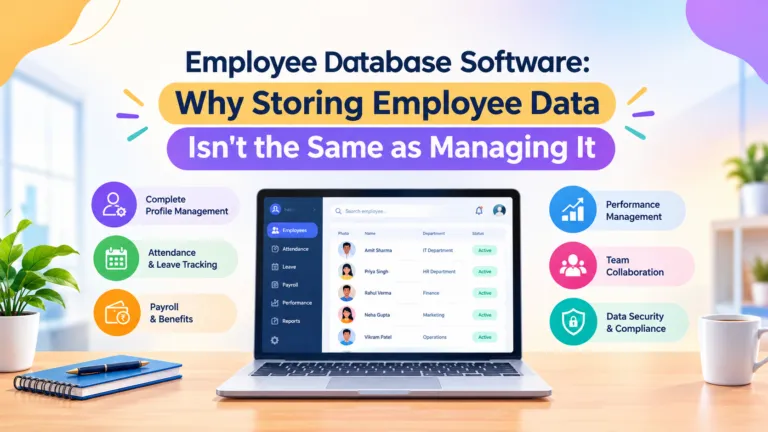
This is the core module and, in practice, the one companies underestimate. It’s not just a name and a designation. A proper employee record holds joining date, department, reporting manager, salary structure, past increments, documents on file, and employment history — and every other module (attendance, payroll, performance) reads from this record instead of keeping its own copy. If your “employee database” today is a spreadsheet that three people edit, this is the module that ends the version-control problem.
Attendance and leave: where shift work breaks generic software
Attendance sounds simple until you have a factory running two shifts, a sales team that’s never in one place, and a head office on a 9-to-6. Indian attendance modules typically need to handle biometric punches at a plant gate, geo-tagged mobile check-ins for field staff, and manual regularization requests for the days someone forgets to punch out. Leave management sits next to it — casual, sick and earned leave balances that update the moment attendance is marked, instead of a leave diary someone reconciles at month-end.
Payroll: the module that exposes every upstream mistake
Payroll is downstream of attendance and leave, which is exactly why bad data anywhere else shows up here first. A proper payroll module builds salary structures per grade, applies EPF, ESI, professional tax and TDS deductions automatically, tracks gratuity and bonus accruals, and generates payslips without someone re-typing numbers into a formula sheet. We’ve written more on how this piece works in practice in our payroll and payslip guide.
Employee self-service: fewer messages, not just a portal
ESS gets pitched as a nice-to-have, but the real value shows up in what it removes from HR’s plate — the “where’s my payslip,” the “how many leaves do I have left,” the “can you send my Form 16” messages that eat an hour every payday. A working ESS module lets employees pull their own payslips, apply for leave, check balances and update personal details without opening a ticket with HR. We go deeper on what a good self-service portal should actually do in this piece on employee self-service in India.
Document management: the module nobody thinks about until an audit
Offer letters, Aadhaar and PAN copies, appraisal letters, exit documents — most companies store these in a mix of physical files and random folders on someone’s laptop. A document module keeps them attached to the employee record, searchable, and available the day a labour inspector or auditor asks for them, instead of the week after.
Performance management: less about forms, more about timing
The weakest version of this module is a digital copy of the same annual appraisal form nobody liked on paper. The useful version supports shorter check-in cycles — monthly or quarterly — so a manager isn’t trying to remember a client win from ten months ago at review time.
Recruitment and onboarding: add it once hiring gets frequent
Companies hiring two or three people a year can usually manage recruitment through email and a shared tracker. It’s a different story once you’re hiring every month, or running seasonal hiring for a factory floor. At that point a recruitment module — job postings, an applicant pipeline, structured shortlisting — stops being a convenience and starts being the difference between a two-week hire and a six-week one. Onboarding sits right next to it: getting PF, ESI and bank account details captured digitally on day one instead of chasing paper forms in week three.
The layer running underneath all of it: statutory compliance
This isn’t usually sold as its own module, but it should be treated as one. EPF, ESI, professional tax, gratuity, statutory bonus and POSH obligations all have rules that shift by state and by company size, and the labour codes have been changing what counts as “wages” for several of these calculations. A system that keeps this layer current, rather than hard-coded once at setup and never revisited, is doing something most spreadsheets structurally cannot.
So which HRMS modules do you actually need first?
A 15-person services company usually needs core employee records, attendance and payroll — and can leave performance management and document workflows for later. A 150-person manufacturing unit running shifts almost always needs attendance and payroll solved first, because that’s where the manual error rate is highest and the compliance exposure is real. A multi-location business with teams in two or three states needs the statutory layer sorted before anything else, because that’s the piece that’s hardest to fix retroactively.
The mistake we see most often isn’t picking the wrong HRMS. It’s buying every module on day one, using a third of them, and blaming the software a year later. Start with the module solving your loudest problem, get it working properly, then add the next one.
IntelloHRM is built as separate modules for exactly this reason — employee management, attendance, payroll, documents and self-service, priced and rolled out as you need them rather than as one expensive bundle. If you want to see how the modules fit together for a team your size, you can look through the platform at intellohrm.com.