
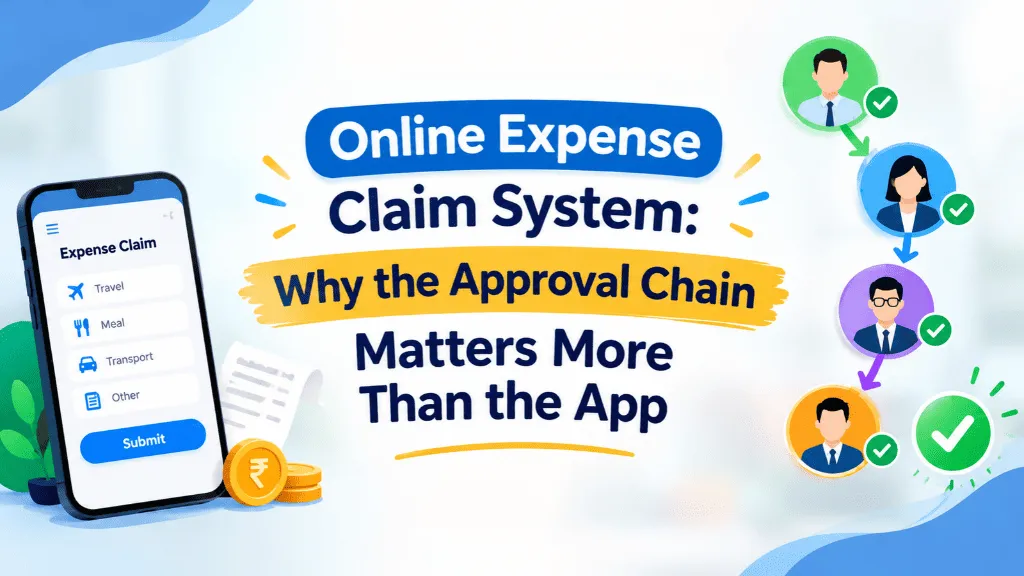
A field sales exec in Pune boards an evening train, pulls out her phone, and photographs three receipts from a client dinner before she forgets. A finance manager two cities away approves the claim from his phone between meetings. Payroll picks it up on the next cycle. No one printed anything, no one forwarded a scanned PDF to three people on email, and no one had to chase a signature that was sitting in someone’s inbox for a week. That’s what people mean when they talk about an online expense claim system — and it’s also where most implementations quietly fall short, because the submission part is easy and the approval part is where everything actually breaks.
Most HR and finance teams buying expense software focus on the wrong half of the problem. They evaluate how clean the mobile app looks, whether it can scan a receipt with OCR, and whether employees can file a claim in under a minute. Those things matter, but they’re the easy 20%. The hard 80% is what happens after the claim is submitted — who sees it, in what order, against what rules, and how fast money actually reaches the employee’s account. An online expense claim system that nails submission but fumbles approval just moves the bottleneck from paper to a notification nobody opens.
What an Online Expense Claim System Actually Needs to Get Right
Start with the approval chain itself. In most Indian companies, a claim above a certain amount needs more than one sign-off — the reporting manager first, then maybe a department head or finance controller if it crosses a threshold. If your system treats every claim the same way regardless of amount, category, or who’s submitting it, you end up with either a rubber-stamp process (everything gets approved because nobody wants to be the bottleneck) or a painfully slow one (every ₹500 taxi receipt waits for the same three-person chain as a ₹40,000 client offsite). A well-built system routes claims differently based on amount, expense type, and employee grade, and lets you set that logic once instead of explaining it over WhatsApp every time someone’s confused about who approves what.
Policy enforcement is the second piece people underestimate. A genuinely useful online expense claim management setup doesn’t just store a PDF of your travel and expense policy somewhere on the intranet — it applies it. If your policy caps per-diem meal spend at a certain amount in metro cities, or requires pre-approval for any expense over a set limit, or treats mileage reimbursement differently for a sales role than a desk role, those rules should flag or block a claim automatically rather than relying on an approver to remember the fine print. We’ve seen teams where the approver’s real job became “memorize the policy exceptions,” which is exactly the kind of manual judgment that software should be absorbing, not creating.
Then there’s the GST and compliance angle, which gets overlooked more often than it should. A fair number of business expenses — hotel stays, courier charges, certain vendor payments — carry GST that a company can potentially claim as input credit, but only if the invoice details are captured correctly at the point of submission. An online expense claim system that just stores a blurry photo of a receipt without structured fields for GSTIN, invoice number, and tax breakup leaves that money on the table every single month. It’s not a dramatic failure, just a slow leak that finance teams only notice at audit time, usually with some irritation.
Visibility Changes Behavior More Than Policy Does
One thing that surprises HR and finance leaders the first time they move to a proper online system: the single biggest improvement isn’t speed, it’s visibility. When an employee can see exactly where their claim is — submitted, with manager, with finance, approved, queued for payout — the volume of “any update on my reimbursement?” messages drops sharply. Approvers behave differently too, once they know a claim sitting untouched for five days is visible on a dashboard rather than buried in an inbox. A lot of what looks like “slow approvers” in manual systems is really just lack of accountability, and that fixes itself faster than most people expect once the queue is transparent.
The reimbursement side deserves equal attention, because an approved claim sitting in a spreadsheet until the next payroll run isn’t really solved yet. The claim needs to flow into the actual payout — either as part of the regular salary cycle or through a separate reimbursement run, reflected correctly in payslips so employees aren’t left wondering whether that amount was taxed, adjusted, or simply missing. Expense data that doesn’t talk to payroll just creates a second manual reconciliation step, which defeats much of the point of going digital in the first place.
Where This Fits Into a Broader HR Stack
Expense claims rarely exist in isolation. The same employee submitting a claim is also requesting leave, checking a payslip, and maybe flagging an attendance regularization request. Platforms like IntelloHRM build expense and reimbursement handling as one module alongside attendance, payroll, and leave rather than as a bolt-on tool, specifically so a manager approving a travel claim can see the same employee’s travel-related leave or attendance exception in the same place, instead of cross-checking two separate systems. Whether you go with IntelloHRM, a competing HRMS, or a dedicated expense tool, that’s worth asking any vendor directly: does the expense module talk to payroll and attendance natively, or is it a separate system you’ll be stitching together with exports and manual uploads?
If you’re evaluating an online expense claim system for your company, it’s worth spending less time in the demo looking at how fast you can snap a photo of a receipt, and more time asking pointed questions about approval routing, policy rule configuration, GST field capture, and how reimbursements actually land in an employee’s payslip. The app is the part everyone notices. The workflow underneath it is the part that determines whether finance trusts the numbers and employees stop asking where their money is.