A few months ago, an HR head at a 160-person auto-ancillary company in Pune told us something that stuck: during a routine PF inspection, her team pulled up three different versions of the “employee master” — one in Google Sheets maintained by HR, one in Excel that payroll used because it had the salary breakups, and a third that a departed HRBP had built with extra columns for performance ratings. Two of them disagreed on a bank account number for the same employee. Nobody could say with confidence which one was current, or who had last changed it.
That’s the gap most people run into when they go looking for employee database software. They assume the problem is storage — give the data a proper home instead of a spreadsheet — and they’re only half right. Storage is the easy part. What actually breaks companies is everything that happens after the data is stored: who can see it, who can change it, whether you can prove what changed and when, and whether the record you’re looking at today is the same one payroll used last month.
A spreadsheet online is still a spreadsheet
Plenty of tools marketed as employee database management software are, underneath, a nicer-looking spreadsheet with login screens bolted on. You get columns, you get filters, maybe a search bar. What you usually don’t get is any real separation between who can view a field and who can edit it. An HR executive entering new joiner details can, in most of these tools, also open the CTO’s salary record and quietly change it. There’s no friction, and often no record that it happened.
This is the part that doesn’t show up until something goes wrong — a wrong figure shows up in a payslip, two people swear they never touched a field, and there’s no way to settle the argument because nothing logged the edit. For a 20-person team this is an annoyance. For a company that’s crossed 100 or 150 employees, run payroll through multiple approvers, or gone through even one funding round with due diligence, it’s a real liability.
Duplicate and conflicting records are the norm, not the exception
Ask any HR person who’s managed employee data across more than one spreadsheet for a year, and they’ll tell you duplicates creep in constantly — a new joiner added twice because two people were onboarding in parallel, an old row never deleted after someone exited, a mobile number updated in one sheet and never the other. None of this is anyone being careless. It’s just what happens when the same information lives in more than one place and nothing enforces a single version of the truth.
Good employee record management software solves this by making one record the only record. Attendance, payroll, leave, and exit workflows all read from and write to the same employee profile, so there’s nowhere for a second, slightly different version to exist.
Access control is the part most buyers forget to ask about
When companies evaluate employee database software, the conversation almost always starts with fields and reports — can it store PAN, Aadhaar, bank details, past employment history, documents, emergency contacts. Few ask the harder question: who gets to see which of those fields, and can that be different for an HR executive, a reporting manager, and the finance team.
In practice, a reporting manager usually needs to see attendance and leave balances for their team, not bank account numbers or salary structure. HR operations needs broader access but shouldn’t necessarily see performance review notes written by a department head. Finance needs salary and bank data but doesn’t need visibility into disciplinary records. A system that gives everyone with a login the same view of everyone’s data isn’t really managing employee information — it’s just displaying it, and quietly creating a compliance problem along the way.
Audit trails matter more once you’ve actually needed one
Under India’s data protection rules, employee personal data — bank details, government ID numbers, health information where it’s collected — isn’t something you can afford to be casual about. If a company can’t say who accessed or changed a sensitive field, or when, that’s a gap that shows up badly in a labour inspection, an internal investigation, or even a straightforward due diligence exercise during fundraising or an acquisition.
A proper audit trail isn’t a fancy feature — it’s a simple, searchable log that says this field was changed, by this person, on this date, from this value to that one. It sounds basic until you’re the HR manager standing in front of an auditor without one.
What this looks like when it’s done properly
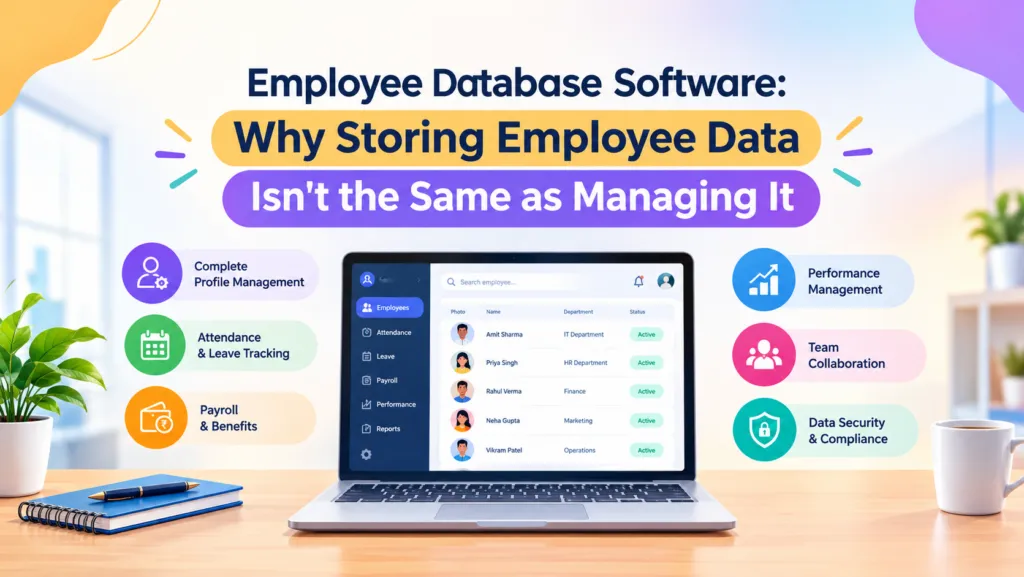
The companies that get employee data management right usually have a few things in common, and none of them are complicated. One employee record feeds every module — attendance, payroll, leave, exit — instead of each team keeping its own copy. Field-level permissions mean a manager, an HR executive, and a finance user each see a version of the profile scoped to what their role actually needs. Every edit to a sensitive field is logged automatically, without anyone having to remember to note it down. Documents — offer letters, ID proofs, experience letters — sit against the employee’s profile instead of scattered across email threads and shared drives. And bulk import or export exists for the inevitable day someone needs to migrate data or hand it to an auditor in one clean file.
None of this needs to be elaborate. It needs to exist by default, not as a paid add-on you discover you need only after something has already gone wrong.
Where IntelloHRM fits in
This is more or less the thinking behind how IntelloHRM structures its employee database module — one employee record that attendance, payroll, and leave all draw from, field-level access so a manager isn’t looking at a payslip breakup they have no business seeing, and a change history that doesn’t need to be switched on separately. It won’t replace the judgment of a careful HR team, but it does remove the specific failure mode that spreadsheets almost guarantee: two versions of the truth, and no way to tell which one is right.
If your team is still reconciling employee data across more than one file before every payroll run, that’s usually the clearest sign the current setup has stopped being a database and started being a liability.