A manufacturing client of ours ran into this a few months into using a single leave sheet for the whole company: the shop floor supervisor had 18 earned leave days credited for the year, a machine operator hired the same week had 12, and nobody in HR could explain why without digging through three different joining letters. The answer, once they found it, was simple — the supervisor was on the permanent rolls from day one, the operator had done four months on contract before being converted, and the Shops and Establishments Act rules that applied to their state credited earned leave based on days actually worked in the preceding year. None of that was wrong. It just wasn’t captured anywhere except in someone’s memory and a few paper files.
This is the kind of situation that pushes HR teams to ask a very specific, very practical question: where can you actually set leave quotas per employee or role, rather than applying one blanket number to everyone and manually patching the exceptions every month? It’s a smaller question than “which HRMS should we buy,” but it’s often the one that decides whether a leave policy survives contact with a real, messy workforce.
Why one leave policy stops working somewhere between 20 and 100 people
At a ten-person startup, everyone gets the same leave because everyone is, roughly, the same kind of employee — full-time, salaried, on the same city payroll. That stops being true fast. You hire interns who legally shouldn’t accrue the same earned leave as confirmed staff. You open a second office in a state with different Shops Act minimums. You bring on field sales reps whose attendance looks nothing like your office staff’s. You have people who joined in April and people who joined in November, and a flat annual quota treats both as if they’d been around the same number of days.
Once two or three of these variables stack up, a single number — “21 days of leave a year” — can’t represent reality anymore. Someone is always the exception, and exceptions tracked in a spreadsheet tend to get tracked inconsistently, which is how you end up with two employees hired in the same week on two different entitlements with no record of why.
What role-based leave quotas actually mean in practice
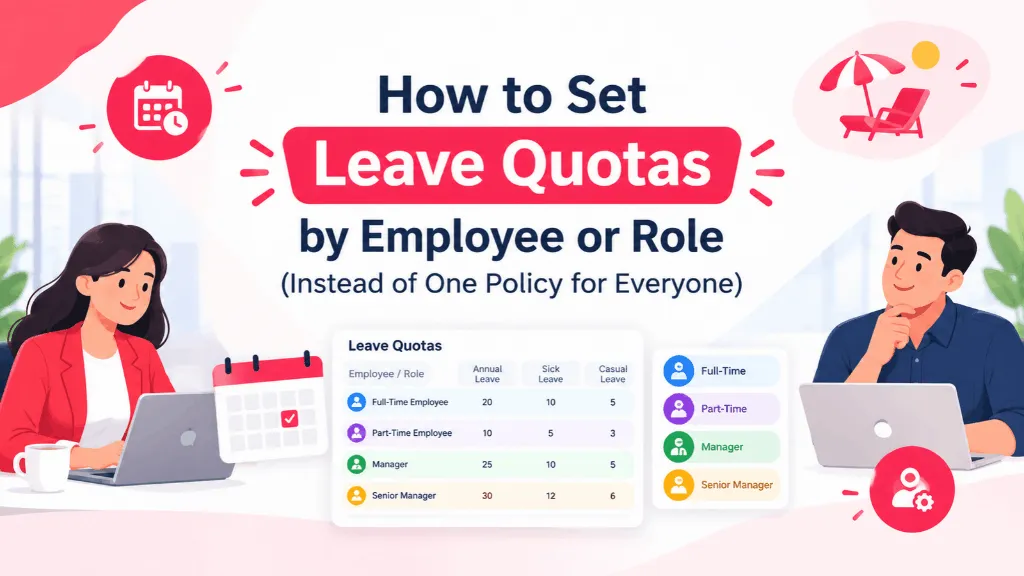
Setting leave quotas by employee or role just means defining more than one leave policy and assigning people to the one that actually applies to them, instead of writing exceptions into a master sheet by hand. In most HR setups, the splits tend to fall into a few recurring buckets:
By employment type. Probationary employees often get a reduced or zero leave quota until confirmation, interns may get none at all beyond statutory sick leave, and contract staff frequently follow a different accrual schedule than permanent employees. By location. Earned leave minimums, casual leave norms, and even what counts as a “leave year” can differ by state under the applicable Shops and Establishments Act, so a company with offices in Maharashtra and Tamil Nadu genuinely cannot run both locations on an identical policy without either over- or under-granting leave somewhere. By tenure or grade. Some companies add a day or two of casual leave after three or five years of service, or give managers a separate sick leave bucket because their work allows more flexibility around when they take time off. By role function. A field engineer who’s rarely in an office five days straight needs a different attendance-leave relationship than someone at a desk, even if their headcount-level entitlement is the same number on paper.
None of this is exotic. Almost every mid-sized Indian company ends up with some version of it. The problem isn’t that the policy is complicated — it’s that most leave tracking tools, spreadsheets especially, were never built to hold more than one rule at a time without someone manually overriding cells.
Where this quietly breaks down in a spreadsheet
The failure mode is rarely dramatic. It’s usually a slow accumulation of small inconsistencies: carry-forward rules that get applied to one group and forgotten for another, a new hire added to the sheet with the wrong formula copied from the row above, an employee who moved from contract to permanent six months ago still accruing leave under their old terms because nobody updated the reference cell. Any one of these is a two-minute fix. All of them together, across sixty or a hundred employees, is how an HR team ends up spending the week before a labour audit reconstructing who was entitled to what and why.
It also shows up at the worst possible moment — full and final settlement. If a departing employee’s leave encashment depends on a quota that was never correctly assigned in the first place, that’s a dispute waiting to happen, and it’s a much harder conversation to have after someone has already resigned than it would have been to get right on day one.
What to actually look for if you’re fixing this
If you’re evaluating leave software with this specific problem in mind, the feature that matters isn’t “leave management” as a generic checkbox — it’s whether the system lets you define multiple leave policies and assign employees to the right one automatically, based on attributes like employment type, department, location, or date of joining, rather than requiring someone to manually move people between buckets. A few things worth checking before you commit to a tool:
Can you create separate accrual, carry-forward, and encashment rules for each policy group, instead of one global rule with manual exceptions? Does the system apply the right policy automatically when someone’s employment type changes — say, from probation to confirmed — or does that still need a human to remember and update it? Can employees see their own specific quota and how it was calculated, rather than a generic number that doesn’t match their payslip? And is there an audit trail if a policy or an individual’s quota is edited, so you’re not relying on memory six months later when someone asks why their balance looks different from a colleague’s?
In IntelloHRM, this is handled through leave policy groups that get assigned by role, employment type, or location, so the accrual and carry-forward differences are built into the setup rather than patched in after the fact — which is really the whole point of moving off a spreadsheet for this in the first place.
A reasonable way to roll it out
Before touching any software setting, it helps to get this down on paper first. List out the distinct employee “types” you actually have — not job titles, but categories that genuinely need different leave treatment: probation, confirmed, contract, intern, and maybe a location split if you operate across states. Map each one to actual numbers, checked against the Shops and Establishments Act minimum for every state you operate in, not just your headquarters. Decide who’s allowed to approve exceptions to a quota, and write that down too, because “whoever’s free” is how exceptions become the new unwritten rule. Only then configure it in your HRMS, and tell employees individually what their quota is and why, rather than publishing one generic leave policy PDF and hoping people read the fine print that applies to them.
Revisit it once a year, ideally before appraisal season rather than after, because that’s when job changes, location moves, and confirmations tend to pile up unnoticed until someone’s leave balance doesn’t match what they expected.